

Table of Contents

In a hurry? Here’s the best VPN for Firestick in 2026:
- 🥇 ExpressVPN (63% off here in October 2026): Provides access to the best Fire TV Stick app on the market, as it’s super simple to install and use. The app also works with 100+ streaming platforms, maintains ultra-fast streaming speeds, and comes with useful extras (including split-tunneling). Also, the VPN has very strong security features, and also comes with a risk-free 30-day money-back guarantee.

ExpressVPN
VPNs make using the web on Amazon Fire TV more enjoyable. They’re an excellent way to secure your web browsing traffic via the Fire TV browser. Plus, they also help you access streaming content when traveling abroad. And I also like how using a VPN can stop your internet service provider (ISP) from throttling your bandwidth (intentionally slowing down your speeds for certain online activities, like streaming).
But I think it’s a shame that most VPNs are not that great. A lot of them don’t even have dedicated Amazon Fire TV apps — they require you to perform an inconvenient manual setup instead. And out of the providers that do natively work on Fire TV, many of them have poor streaming support, slow speeds, and hard-to-use Fire TV apps.
Still, I tracked down a few providers that offer excellent value. All of the Fire TV VPNs I recommend in this article come with dedicated Fire Stick apps (which are also very simple to use), and they also provide very good streaming support and fast VPN connection speeds.
Quick Look at the Best VPNs for Firestick in 2026:
- 🥇 1. ExpressVPN — Best VPN for Firestick in 2026.
- 🥈 2. CyberGhost VPN — Excellent Fire Stick VPN for streaming.
- 🥉 3. Surfshark — Great Fire TV Stick VPN for beginners.
- 4. NordVPN — Secure Fire TV Stick VPN with fast speeds.
- 5. PrivateVPN — Decent and minimalist VPN for Amazon Fire TV.
- Bonus. Proton VPN — Best free VPN for Firestick.
🥇 1. ExpressVPN — Best VPN Service for Firestick in 2026 ExpressVPN


 Key Features
 Apps
Apps


ExpressVPN is without a doubt the best VPN for Firestick on the market. The provider’s Fire TV stick app is extremely intuitive and simple to navigate, the VPN has the best streaming support on the market, and ExpressVPN also has the fastest connection speeds in 2026.
I love how user-friendly the provider’s Fire TV app is. It’s extremely simple to navigate the app using your Fire TV remote — it really doesn’t take more than 5 seconds to find and connect to a VPN server. Plus, the Fire TV app comes with Shortcuts, which is a feature that lets you set up 1-click app shortcuts that show up on your connection screen after you connect to ExpressVPN (for example, you can set up a shortcut for Netflix or Disney+).
Also, ExpressVPN is definitely the best streaming VPN out there right now. The VPN works with 100+ streaming platforms, including popular ones like Netflix, Disney+, Amazon Prime Video, and BBC iPlayer. Plus, it also comes with a smart DNS, which you can manually set up on your Fire TV device in less than 10 minutes — the smart DNS also works with streaming services, and it provides much faster streaming speeds than the VPN connection (since it doesn’t encrypt your web data).
And ExpressVPN maintains super-fast speeds — it’s able to do this, as it comes with servers in 100+ countries, which makes it very easy to use nearby servers to avoid slowdowns. Whenever I use this VPN to stream shows and movies on my Fire TV device, HD and 4K videos always load instantly, and they never buffer (even while connected to distant servers).
Plus, I really like how the VPN’s Fire TV stick app comes with split-tunneling. This is a feature that lets you choose which apps use the VPN connection, and which apps use your local internet connection. So, you can increase your VPN speeds by only routing specific web traffic through the VPN — for instance, when I only routed Netflix traffic through ExpressVPN, that boosted my VPN streaming speeds by about 15%.
And this VPN is also great for securing your Fire TV web traffic. The provider has a strict no-logs policy that has been proven true in several independent audits and a server seizure. What’s more, the VPN protects your data with advanced security tools, including full leak protection, perfect forward secrecy (offers a different encryption key for each VPN session), and RAM-only servers, which ensure every server reset wipes all data.
ExpressVPN is affordable, with plans starting at $5.49/month. Plus, its longest plan often comes with extra months of service for free — and each purchase is backed with a risk-free 30-day money-back guarantee.
Highly recommended

ExpressVPN
Bottom Line: ExpressVPN is the best VPN for Firestick on the market. Its Fire TV app is super easy to use, the VPN works with 100+ streaming apps, and you also get ultra-fast VPN speeds. Plus, ExpressVPN secures your web data with industry-leading security and privacy features. And the VPN also backs all of its plans with a no-questions-asked 30-day money-back guarantee.
Read my full ExpressVPN review
🥈 2. CyberGhost VPN — Excellent Fire Stick VPN for Streaming CyberGhost VPN

I think CyberGhost VPN is very good for streaming on Amazon Fire TV. That’s because the provider has dedicated streaming servers in 20+ countries that work with 50+ streaming platforms, including Netflix and Amazon Prime Video. The servers are configured to refresh their IPs really fast, so it’s difficult for the streaming platforms to detect and block them. Just keep in mind you can only access streaming content via the streaming servers (ExpressVPN supports streaming on all servers).
I also like how intuitive the VPN’s Fire TV Stick app is. The interface makes it very simple to find the streaming servers and connect to them, and it’s also easy to find and change different settings. Plus, you can also configure the VPN app to automatically connect to a specific server when it detects an unsecured Wi-Fi network (this is helpful if you take your Fire TV Stick with you when traveling).
Plus, the provider’s Fire TV Stick app is also feature-rich. It provides access to split-tunneling, which you can use to increase VPN speeds. And it also comes with Content Blocker, which can protect you from shady websites if you use Fire Stick’ built-in web browser to surf the web.
Other than that, CyberGhost VPN is also really fast, which is not surprising considering it has 10,000+ servers in 95+ countries. Whenever I ran speed tests connected to this VPN, the HD and 4K videos I watched always loaded instantly (and I only experienced very minor buffering at the start of a few 4K videos).
And the VPN also provides strong security and privacy. It comes with an audited no-logs policy, and it also has advanced security features, like RAM-only servers and perfect forward secrecy. Plus, it offers strong leak protection too — I actually ran 10 leak tests on 2 of its servers, and I never experienced any leaks.
CyberGhost VPN’s prices start at $2.19/month, which is really budget-friendly. It also backs all long-term plans with a 45-day money-back guarantee (the shortest plan comes with a 14-day refund). And the provider also has a free 24-hour trial you can get via its site, which you can then use to access its Fire TV Stick app.
Highly recommended

Bottom Line: CyberGhost VPN is a great streaming VPN for Firestick devices. It has streaming servers that are configured to work with 50+ streaming platforms without any issues. Also, the VPN’s Fire TV Stick app is really user-friendly and feature-rich — plus, it provides good speeds too. Also, you get a huge server network and really good security features. And all long-term purchases come with a 45-day refund.
Read my full CyberGhost VPN review
🥉 3. Surfshark — Great Fire TV Stick VPN for Beginners Surfshark

Surfshark is great for Fire TV users who are new to VPNs, as its Fire TV Stick app is extremely user-friendly. The interface is very simple to navigate with your remote, it takes less than 5 seconds to find and connect to a server, and there’s also a quick-connect tool that automatically connects you to the fastest server for your location. Plus, all settings and features come with helpful explanations.
Also, Surfshark supports unlimited simultaneous connections. This basically means you can install and use Surfshark on as many Fire TV devices as you want. So, this makes it a good pick for large families or people who just own tons of Fire TV devices.
I also like how feature-rich the provider’s Fire TV Stick app is. I like how it comes with split-tunneling and CleanWeb, which is a feature that blocks both ads and malicious sites (this is useful when you’re using the Fire TV web browser to surf the internet).
What’s more, Surfshark has excellent streaming support, as it works with 100+ streaming platforms (including many popular ones, like Netflix, Disney+, BBC iPlayer, and Amazon Prime Video). Also, just like ExpressVPN, the provider also comes with a smart DNS tool that you can quickly configure on your Fire TV device.
And the VPN is also really fast, as it always maintains good streaming speeds whenever I use it — HD videos usually load instantly, and 4K videos don’t take longer than 2 seconds to fully load (plus, I never experience any buffering with either type of video). This is not really surprising, as the provider has 3,200+ servers in 95+ countries.
Surfshark is also super affordable, with prices beginning as low as $2.19/month. What’s more, the VPN service backs all purchases with a no-questions-asked 30-day money-back guarantee.
Highly recommended

Bottom Line: Surfshark has a really good Fire TV Stick app for beginners, as it’s super simple to install and use it thanks to its very intuitive interface. Also, the provider has excellent streaming support (it works with 100+ streaming platforms), maintains fast connection speeds, comes with a huge server network, and has a feature-rich Fire TV Stick VPN app. What’s more, it has very affordable plans that it backs with a risk-free 30-day money-back guarantee.
4. NordVPN — Secure Fire TV Stick VPN With Good Speeds NordVPN

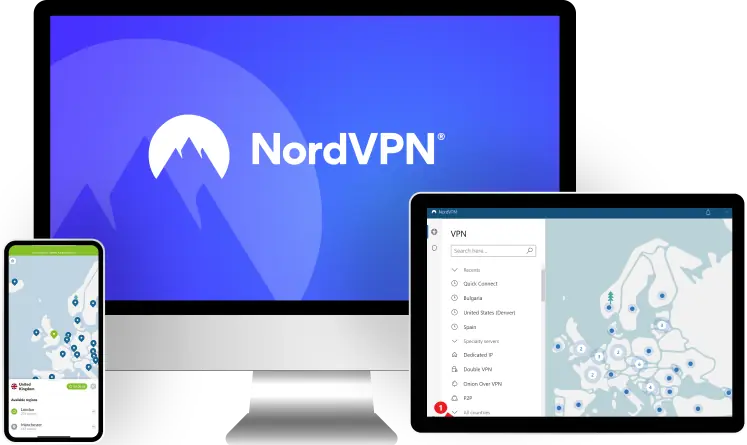
NordVPN provides access to good security via its Amazon Fire TV Stick app, which makes it a pretty good pick for secure internet surfing via the Fire TV web browser. The VPN secures your data with an audited no-logs policy and high-end security tools, such as RAM-only servers, full leak protection, and perfect forward secrecy.
I also like how fast this VPN is — in my tests, it generally maintained smooth streaming speeds, as HD videos loaded instantly, and 4K videos took just 4 seconds to fully load. I also like how you get access to split-tunneling, which you can use to further boost your VPN speeds.
NordVPN also has 6,000+ servers in 110+ countries, which is a huge server network. The provider’s number of countries is on par with other top competitors, such as ExpressVPN (100+ countries) and CyberGhost VPN (95+ countries).
Also, this VPN service provides good streaming support as well. It doesn’t say how many streaming platforms it’s compatible with, but it still works with lots of popular streaming services (like Netflix, BBC iPlayer, and Amazon Prime Video). Plus, it comes with a smart DNS tool as well.
NordVPN has a few tier-based subscriptions, with prices beginning at $3.99/month. Also, all plans come with a 30-day money-back guarantee.
Bottom Line: NordVPN’s VPN app for Fire TV devices is really secure, as it comes with many high-end security features (including full leak protection and RAM-only servers). You also get access to good streaming support, a huge server network, and fast speeds. And the VPN has a 30-day money-back guarantee that covers all of its plans.
5. PrivateVPN — Decent and Minimalist VPN for Amazon Fire TV PrivateVPN


PrivateVPN’s Amazon Fire TV VPN app doesn’t feel overwhelming, as its design is minimalist (it doesn’t come with many features and settings to change). This could make PrivateVPN a good pick for people who are new to VPNs, as they won’t feel lost when using the provider’s Fire Stick app.
In addition, I think the app’s design is also pretty intuitive. Sure, it looks a bit outdated compared to other top competitors (like ExpressVPN or CyberGhost VPN), but it’s still really simple to find and connect to a VPN server. Plus, the few settings and features that are available come with quick, helpful explanations.
PrivateVPN also has very good streaming support. It sadly doesn’t say how many streaming platforms it’s compatible with, but I can confirm it’s able to access many popular streaming services (including Netflix, BBC iPlayer, and Disney+).
Also, the VPN has good connection speeds, as it has 200+ servers in 60+ countries— whenever I use it with my Amazon Fire TV device, HD videos always load in just 2 seconds (and 4K videos don’t take more than 4 seconds to fully load).
PrivateVPN is super affordable, as its prices start as low as $2.00/month. What’s more, the provider also backs all of its plans with a 30-day money-back guarantee.
Bottom Line: PrivateVPN is good for Amazon Fire TV users who are new to VPNs, as its Fire Stick app is really minimalist (so it doesn’t feel overwhelming to use at all). The provider also offers fast speeds, a pretty big server network, and strong streaming support. Also, PrivateVPN backs all of its (super-affordable) plans with a 30-day money-back guarantee.
Read my full PrivateVPN review
Bonus. Proton VPN — Best Free VPN for Firestick Proton VPN


Proton VPN is excellent for people looking to use a free service on their Fire TV devices. That’s because this VPN has the best free plan on the market, as it allows unlimited data — so if you are looking for a VPN to browse the web on your Fire TV device, you can use Proton VPN’s free plan as much as you want.
What’s more, the VPN’s Firestick app is also simple to use and secure. The interface is simple to navigate with your remote, and they are also helpful explanations for all settings and features. What’s more, the free plan comes with an audited no-logs policy and advanced security features, like full leak protection and perfect forward secrecy. Also, the VPN’s Firestick app is 100% open-source, meaning anyone can inspect the code for security issues.
And the free plan also has fast speeds. Whenever I use it to securely watch HD videos on YouTube, the videos only take around 2 seconds to load. And whenever I skip through the videos, I don’t experience any buffering.
But I ultimately recommend getting the paid version. That’s because the free VPN plan limits you to servers in 5 countries and 1 device, and you don’t get streaming support. The paid version is affordable and comes with a prorated 30-day refund, and it adds support for 40+ streaming platforms, 6000+ servers in 110+ countries, and 10 connections.
Bottom Line: Proton VPN has the best free VPN plan for Fire TV users. The free plan allows unlimited data, provides very good speeds, and comes with high-end security and privacy features. And the paid plans provide access to very good streaming support and a large server network — plus, all purchases are backed by a 30-day refund (though, keep in mind it’s prorated).
Read my full Proton VPN review
Quick Comparison of My Top Picks
| Starting Price | Number of Streaming Services | Number of Countries | Split-Tunneling | Free Plan | Money-Back Guarantee | |
|---|---|---|---|---|---|---|
| 🥇 1. ExpressVPN | $5.49/month | 100+ | 100+ |  |  | 30 days |
| 🥈 2. CyberGhost VPN | $2.19/month | 50+ | 95+ | | | 45 days (long-term plans) 14 days (shortest plan) |
| 🥉 3. Surfshark | $2.19/month | 100+ | 95+ | | | 3 days |
| 4. NordVPN | $3.99/month | Unknown | 110+ | | | 30 days |
| 5. PrivateVPN | $2.00/month | Unknown | 60+ | | | 30 days |
| Bonus. Proton VPN | $3.59/month | 40+ | 110+ | | | 30 days (prorated) |
How I Chose the VPNs on This List
- Get a VPN with a native Fire TV Stick app — Some VPNs lack a dedicated Fire TV Stick app, while others require you to manually set up their Android apps on Fire TV, which is inconvenient. So you should only get a VPN that has a Fire TV Stick app you can download and install from the app store (like the VPNs on my list do).
- Get a VPN service with an intuitive Fire TV VPN app — The VPN provider’s Fire TV Stick app needs to be simple to navigate with your TV remote. Really, it shouldn’t take you more than 5–6 seconds to find and connect to a VPN server. Also, the app should ideally provide explanations for all settings and features, so that you don’t feel lost while using it.
- Pick a VPN with good streaming support — The VPN needs to be compatible with your favorite Amazon Fire TV streaming apps, like Netflix, BBC iPlayer, Disney+, and Amazon Prime Video. ExpressVPN, for example, works with 100+ streaming platforms.
- Choose a VPN service that’s fast — When you use a VPN, your original internet speeds will always slow down. This is mostly due to the VPN encryption process. But top providers will optimize their services to ensure that the slowdown is minimal. For reference, I don’t recommend using an Amazon Fire TV Stick VPN if HD videos take more than 10 seconds to load while connected to it.
- Get a VPN with a large server network — Ideally, the VPN provider should have servers in at least 50+ countries. This way, it’s easier to use nearby servers to get fast speeds. ExpressVPN, my #1 pick, has VPN servers in 100+ countries.
- Choose a VPN service that offers good value — You should only pick a VPN that has affordable plans that provide access to useful extras (like split-tunneling or an ad blocker). Also, the VPN should ideally back all purchases with a money-back guarantee.
Why Should I Use a VPN on Amazon Fire TV Stick?
- Protect your web data — A VPN encrypts your internet traffic, which means it makes all web data 100% unreadable. This means third parties (like your ISP or hackers) can’t see what you’re doing online (what sites you’re accessing via the Fire Stick browser, for example).
- Secure your online privacy — Using a VPN hides your IP address, so nobody can use it to detect your real location anymore. If third parties try to analyze your IP, they’ll only see the IP address of the VPN server you’re connected to.
- Access streaming content — VPNs make it easy to access your favorite streaming apps from back home while traveling (some of them might not be available abroad). Basically, the VPN makes the streaming service think you’re accessing it from a different location (like your home country, for instance).
- Stop bandwidth throttling — Without a VPN, your ISP can see what you’re doing online. And if they decide you’re using too much data on a specific web activity (like streaming on your Amazon Fire TV Stick), they could intentionally throttle it. But a VPN makes your web traffic unreadable, completely preventing your ISP from selectively slowing down your online speeds.
How to Use a Fire Stick VPN
- Sign up for a good Fire TV VPN. My #1 pick is ExpressVPN, as it works with 100+ streaming apps, it has a feature-rich Fire Stick app, and it provides the fastest speeds on the market.
- Download the provider’s app. Open your device’s app store and find the VPN provider’s app. Then, just wait for it to download and install — it shouldn’t take more than 2 minutes.
- Open the VPN app. Use the Fire Stick remote to find and launch the newly-installed VPN app.
- Connect to a VPN server. Log into the app, then pick a server location and connect to it. That’s it — the VPN will now encrypt all of your Fire Stick web traffic.
Firestick VPNs That I Recommend Avoiding
- AirVPN— While this VPN is really secure, it doesn’t come with a dedicated Fire TV app. Even if it did, it still wouldn’t be a good pick since it doesn’t work with most popular streaming services.
- Astrill VPN — This provider offers very good security features, and it also works really well in restrictive countries. But it’s unfortunately missing a dedicated Amazon Fire TV app.
- IPVanish — This VPN has a pretty decent Amazon Fire TV Stick app that’s simple to use. Also, it provides pretty fast speeds. That said, it doesn’t work with some popular streaming apps, such as YouTube TV and Max.
Frequently Asked Questions
Best VPNs for Firestick in 2026 — Final Thoughts: Final Thoughts

ExpressVPN


About The Author
Hi! I’m Trevor James, a Canadian YouTuber who travels the world full-time. I make videos about food, travel, and cybersecurity. I have been traveling the world and making videos for over 10 years. You can read more about me here.
Table of Contents