

Table of Contents
In a hurry? Here’s the best VPN for Hulu in 2026:
- 🥇 ExpressVPN (63% off here in October 2026): Consistently works with Hulu without any issues since it refreshes its VPN server IP addresses really fast. It also provides the fastest streaming speeds on the market, comes with very easy-to-use apps, works with 100+ other streaming sites, and has a risk-free 30-day refund.

ExpressVPN
VPNs are the best way to access Hulu abroad. They let you connect to US server locations, so that you can access the streaming site. On top of that, Hulu VPNs also secure your Hulu traffic, and stop your internet service provider (ISP) from throttling your Hulu speeds.
The only issue is that not a lot of VPNs work well with Hulu. I found that the site is able to easily detect and block most VPN services, which leads to people seeing different location errors (like the Hulu home location error, for example).
What’s more, even the VPNs that can access Hulu aren’t that great. I found some VPN services that work well with the site, but they provide poor value — they’re really slow, they have apps that are difficult or confusing to use, and they can’t access other popular streaming sites.
Luckily, I managed to find the best Hulu VPNs in 2026. I personally tested them to confirm that they work well with Hulu, and I also use most of them to access the site when traveling abroad. I’d say my favorite one is ExpressVPN because it has the fastest streaming speeds on the market, and it’s also super easy to use.
Quick Look at the Best VPNs for Hulu in 2026:
- 🥇 1. ExpressVPN — Best VPN for Hulu in 2026 (is able to access Hulu 24/7 + has ultra-fast streaming speeds).
- 🥈 2. Private Internet Access — Great option for Hulu users that are new to VPNs (also allows unlimited connections).
- 🥉 3. CyberGhost VPN — Good VPN with dedicated streaming servers for Hulu (also provides good automation).
- 4. Surfshark — Very good option to unblock Hulu on Android (has a built-in GPS-spoofing feature).
- 5. NordVPN —Great way to access Hulu via a smart DNS (its VPN servers also use smart DNS tech).
🥇 1. ExpressVPN — Best VPN for Hulu in 2026 ExpressVPN


 Key Features
 Apps
Apps


ExpressVPN is the best VPN to watch Hulu in 2026. It works with Hulu 24/7 without any issues, it has super-fast streaming speeds, it comes with excellent streaming support, and it also has really intuitive VPN apps.
ExpressVPN can access Hulu so well because it refreshes its server IPs very fast, which stops the streaming service from detecting and blocking them. The VPN service doesn’t say how fast it refreshes its server IPs, but it’s definitely really often — I ran 15 leak tests on one US VPN server, and each round of results displayed a different US IP address.
And I really like how easy it is to use ExpressVPN. Its interface is really intuitive, which makes it very easy to find its US servers to start watching Hulu. Plus, it also has Shortcuts, which lets you set up 1-click app and website shortcuts that show up on your connection screen — you can use this tool to get instant access to the Hulu website or Hulu app after you connect to ExpressVPN.

Plus, this is the fastest Hulu VPN on the market. Its speeds are so fast mainly thanks to its proprietary Lightway protocol, which is designed to be both ultra-fast and very secure. Whenever I use ExpressVPN to access Hulu when traveling abroad, all videos I watch always load instantly, and they never buffer either.
And this VPN provider also has very good streaming support. In addition to accessing Hulu, it’s also compatible with 100+ other popular streaming platforms, including Netflix, Amazon Prime Video, Disney+, and Max. Plus, it comes with a smart DNS, which lets you access Hulu on devices that don’t support VPN apps, like gaming consoles for example.
ExpressVPN is pretty affordable, with prices starting at $5.49/month. Even if that seems a bit pricey, keep in mind the longest plan often includes additional months of VPN service for free — and ExpressVPN also has a risk-free 30-day money-back guarante.
Highly recommended

ExpressVPN
Bottom Line: ExpressVPN is the best VPN for streaming Hulu on the market. It can access Hulu without any problems, and it also provides super-fast streaming speeds, and it has really intuitive apps for all desktop, mobile, and smart TV devices. Plus, it works with 100+ other top streaming services, it has a smart DNS, and it also backs all plans with a risk-free 30-day refund.
Read my full ExpressVPN review
🥈 2. Private Internet Access — Great Option for People Who Are New to VPNs Private Internet Access
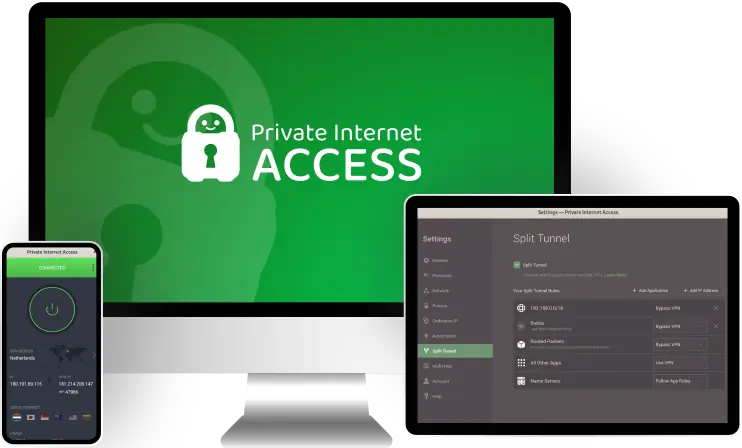
Private Internet Access (PIA) is a really beginner-friendly Hulu VPN. In addition, it’s also very good for unblocking Hulu since it has dedicated streaming-optimized servers in the US that refresh their IPs very fast.
PIA has a VPN app for all popular devices, including Windows, macOS, Linux, iOS, Android, Android TV, Fire TV, and Apple TV. The provider’s apps are extremely simple to navigate, and I also like how all settings and features come with helpful explanations. In addition, PIA allows unlimited simultaneous connections — this means you can use the VPN on as many devices as you want (making it a perfect pick if everyone in your family wants to watch Hulu with a VPN).

On top of Hulu, PIA also works with 20+ other popular streaming platforms. The provider can access sites like Amazon Prime Video, Netflix, and Max. Also, PIA provides free access to a smart DNS as well, which is very convenient.
I also like how fast this VPN is. I used PIA to watch Hulu on multiple occasions while traveling abroad, and I always had really smooth streaming experiences — Hulu’s site generally loaded instantly, and the videos I watched loaded instantly and never buffered.
Plus, I like how PIA comes with split-tunneling — this feature lets you choose which apps and sites use the VPN connection, and which ones don’t. Even though PIA is already fast, you can use its split-tunneling tool to only send Hulu traffic through the VPN to further optimize your Hulu streaming speeds.
Private Internet Access has really cheap prices, as they begin at only $2.19/month. In addition, the VPN service backs all of its plans with a risk-free 30-day money-back guarantee.
Highly recommended

Bottom Line: Private Internet Access is an excellent Hulu VPN for beginners. Its apps are extremely simple to install and use, and the VPN also allows unlimited simultaneous connections. Plus, PIA works very well with Hulu, it works with other popular streaming platforms too, and it’s very fast. And it backs all of its plans with a 30-day refund.
Read my full Private Internet Access review
🥉 3. CyberGhost VPN — Has Dedicated Hulu Servers & Great Automation Tools CyberGhost VPN

CyberGhost VPN has dedicated streaming servers for Hulu, which are optimized to refresh their server IPs extremely fast to provide consistent access to Hulu. The provider even has optimized servers for streaming Hulu on Android TV and Fire TV, which I think is very convenient.
I also love using the provider’s Smart Rules feature to access Hulu — it’s extremely convenient since it lets you automate your VPN connections. For example, you can configure the VPN client to automatically connect to the Hulu VPN server on launch. And you can also set up the VPN client to automatically launch the browser you use to watch Hulu (or the Hulu app) after you connect to a VPN server.

The provider’s streaming servers also work with 50+ other streaming sites, including popular ones like Netflix, Amazon Prime Video, Max, Crunchyroll, and Peacock. On top of that, you also get free access to a smart DNS (I often use this feature to stream Hulu when I’m staying at hotels).
And this VPN is also good for protecting your Hulu account. It has a feature called Identity Guard that alerts you if an email address (like the one you use with your Hulu account) has been compromised. In addition, the feature also has a password generator that you can use to generate strong logins for your Hulu account.
CyberGhost VPN’s prices start at $2.19/month, so it’s pretty budget-friendly. It also backs all long-term plans with a generous 45-day money-back guarantee. And it provides a 14-day refund for its shortest plan.
Highly recommended

Bottom Line: CyberGhost VPN has dedicated streaming-optimized servers for Hulu, which work very well with the streaming service. On top of that, it also lets you automate your VPN and Hulu connections, it’s compatible with 50+ other streaming sites, and it’s great for securing your Hulu credentials. Also, it backs all long-term purchases with a 45-day money-back guarantee.
Read my full CyberGhost VPN review
4. Surfshark — Great for Watching Hulu on Android Surfshark


Surfshark is excellent for accessing Hulu on Android. That’s because its Android app comes with a built-in feature that masks your device’s GPS data — basically, it makes it match your assigned VPN IP address.
With other VPNs, you have to access Hulu’s site on Android, not its mobile app. That’s because the mobile app might detect your Android smartphone’s GPS data, which reveals your location. And since that will contradict the location data associated with your VPN IP address, Hulu will just block your connection.

Plus, Surfshark’s streaming speeds are also excellent. I tested it with Hulu on several occasions while traveling abroad, and I always enjoyed blazing-fast streaming speeds. This isn’t really surprising, considering the VPN uses WireGuard, which is a very fast VPN protocol.
Also, I’m really happy with the VPN’s overall streaming support. Like ExpressVPN, it’s also compatible with 100+ other streaming services, including Netflix, Amazon Prime Video, and Disney+. In addition, the VPN also provides free access to a smart DNS service.
And I also like how user-friendly Surfshark is. Its Android app is extremely simple to install and navigate — and this also applied to the rest of its apps. Plus, like Private Internet Access, Surfshark also supports unlimited connections, which is great.
Surfshark’s prices begin at $2.19/month, so it’s super-affordable. Also, the provider backs all of its plans with a risk-free 30-day money-back guarantee.
Bottom Line: Surfshark is excellent for unblocking Hulu on Android. Its Android app has a GPS-spoofing feature, which makes it much easier to access the streaming service’s mobile app. Also, Surfshark is really easy to use, it has fast streaming speeds, it works with 100+ other streaming services, and it has a risk-free 30-day refund policy.
5. NordVPN —Great for Streaming Hulu via Smart DNS Tools NordVPN

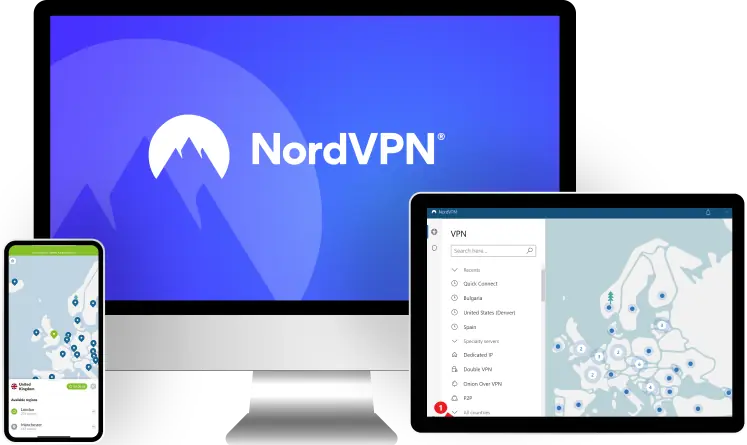
NordVPN is a great option if you want to use smart DNS functionally to stream Hulu. For starters, you get access to a smart DNS that’s really easy to set up — you just need to follow the provider’s step-by-step guides for different devices.

The VPN also implements smart DNS tech in its SmartPlay feature. This is a somewhat unique feature that combines VPN and smart DNS technology, and enables it across all of NordVPN’s servers. This makes it much harder for Hulu to detect and block NordVPN’s VPN connections.
And, like CyberGhost VPN, NordVPN is also good for securing your Hulu login. It has a feature called Dark Web Monitor that alerts you if your NordVPN login credentials have been compromised — if you use the same login details for Hulu, you can keep tabs on them via this feature too.
NordVPN has tier-based subscriptions, and its prices begin at [min price shortcode]. The provider also backs all of its plans with a 30-day refund.
Bottom Line: NordVPN is great for accessing Hulu via smart DNS functionality. In addition to having a standalone smart DNS, it also has SmartPlay, which mixes smart DNS and VPN tech. Plus, the VPN also has a useful security feature for protecting your Hulu login. And NordVPN backs all purchases with a 30-day money-back guarantee.
Quick Comparison of My Top Picks
| Starting Price | Smart DNS | VPN Apps | Number of Devices | Free Plans | Refund Policy | |
|---|---|---|---|---|---|---|
| 🥇 1. ExpressVPN | $5.49/month |  | Windows, macOS, Linux, iOS, Android, Android TV, Fire TV, Apple TV | 8 |  | 30 days |
| 🥈 2. Private Internet Access | $2.19/month | | Windows, macOS, Linux, iOS, Android, Android TV, Fire TV, Apple TV | Unlimited | | 30 days |
| 🥉 3. CyberGhost VPN | $2.19/month | | Windows, macOS, Linux, iOS, Android, Android TV, Fire TV | 7 | | 14 days (shortest plan) 45 days (long-term plans) |
| 4. Surfshark | $2.19/month | | Windows, macOS, Linux, iOS, Android, Android TV, Fire TV, Apple TV | Unlimited | | 30 days |
| 5. NordVPN | $3.99/month | | Windows, macOS, Linux, iOS, Android, Android TV, Fire TV, Apple TV | 10 | | 30 days |
How I Chose the VPNs on This List
- I made sure all the VPNs on my list work with Hulu. Hulu is able to detect and block most VPN services since they don’t refresh their server IPs fast enough. But I personally tested all of the VPNs on this list, and can confirm that they’re able to stream Hulu without any issues.
- I only included VPNs that have fast streaming speeds. When you use a VPN, your internet speeds will slow down — this is normal, and it’s due to the added encryption, and the distance between you and the VPN server. But I performed speed tests on all of the VPNs in this article, and made sure that the slowdowns you experience with them are barely noticeable.
- I prioritized VPNs with great streaming support. You might get bored with Hulu, so I decided to only include VPNs that are also compatible with other popular streaming services (particularly US services). For example, my #1 pick (ExpressVPN) works with 100+ streaming services, including Amazon Prime Video, Netflix, Peacock, and Max.
- I only included user-friendly VPNs on my list. I made sure to only include VPN services that come with apps that are simple to install and use. On average, it won’t take you more than a few seconds to find and connect to a US server to unblock Hulu.
- I only ranked secure VPNs. I know security isn’t the main focus when streaming, but it’s still important. That’s why I only added VPNs that have essential security features to my list — this includes military-grade encryption, a kill switch to protect against traffic leaks, a no-logs policy (to make sure the VPN doesn’t monitor your Hulu activities), and DNS leak protection.
- I only added VPNs that provide good value. All the VPNs on my list come with useful additional features (like split-tunneling and a smart DNS, for example), have affordable prices, and also come with generous money-back guarantees.
Why Should I Use a VPN With Hulu?
Mainly, to be able to watch Hulu when you travel abroad, as it’s only available in the US. With a VPN, you can connect to a US VPN server from back home, which would allow you to unblock Hulu from anywhere in the world.
Plus, using a VPN with Hulu would also provide enhanced security and privacy. The VPN encrypts your traffic, which means that nobody can spy on your web traffic to see how and when you’re using Hulu. In addition, by hiding your IP address, VPNs prevent Hulu from tracking your location, and also stop advertisers from associating your location with your Hulu preferences.
Finally, using Hulu VPNs would protect you from bandwidth throttling — this is when your ISP intentionally slows down your speeds to limit how much data you use. Because the VPN encrypts your traffic and makes it unreadable, your ISP won’t be able to detect and selectively throttle your Hulu streaming speeds.
Why Isn’t Hulu Available Outside the US?

Hulu only says it works just in the US, but doesn’t really provide a reason on its site. It’s most likely due to copyright and licensing regulations. Basically, the streaming service can only broadcast copyrighted content in the US since it only has the licensing rights for that region. Other streaming platforms probably bought the licensing rights to broadcast the same copyrighted content in other countries. As for Hulu’s original programming, the streaming service still needs to acquire licensing rights to operate and broadcast that content in other regions — and it probably doesn’t do this because it’s not profitable.
Hulu is also available in Japan, but the Japanese version is very different from the US version — you’d only want to access it if you understand Japanese at a native level, really. That’s because the Japanese version mostly streams Japanese content.

VPN Not Working With Hulu? Try These Troubleshooting Tips
Here’s what I recommend trying if your VPN isn’t working with Hulu:
- Reconnect to the US server you’re using. Hulu probably blocked the IP address of the US server you’re currently using. With a good VPN, simply connecting to the same server is enough to provide you with a different US IP address that hasn’t been blocked by Hulu yet. If connecting to the same server doesn’t get you a different IP address, just connect to a different US server.
- Connect to a streaming server. Some VPNs (like Private Internet Access and CyberGhost VPN) have dedicated servers for streaming services like Hulu. And these servers are configured to refresh their IPs much faster than regular servers, which helps them to avoid IP address blocks. So, make sure to use these servers if they’re available.
- Use your browser’s incognito/private mode. Using incognito/private mode will get rid of cookies that might reveal your real location to Hulu. If this doesn’t help, try using a separate browser (and yes, use its incognito/private mode too).
- Contact customer support. If none of my tips helped, try asking the provider’s customer support reps for help. They might be able to provide you with troubleshooting tips that are specific to the VPN you’re using (for example, they might tell you exactly which US server location unblocks Hulu).
VPNs That I Don’t Recommend Using With Hulu
- TunnelBear. I think the VPN is very fun to use, and it’s also fast, but it unfortunately doesn’t work with Hulu at all.
- Astrill VPN. This provider can unblock Hulu, but I don’t really recommend using it for streaming since it’s missing a smart DNS, and it’s also very expensive (its prices start at $12.50/month).
- IPVanish. This is a good VPN, but it sadly didn’t let me watch Hulu in my tests. Even if it worked with Hulu, I still probably wouldn’t add it to my list because it doesn’t have a smart DNS.
Frequently Asked Questions
Best VPNs for Hulu in 2026 — Final Thoughts: Final Thoughts


About The Author
Hi! I’m Trevor James, a Canadian YouTuber who travels the world full-time. I make videos about food, travel, and cybersecurity. I have been traveling the world and making videos for over 10 years. You can read more about me here.
Table of Contents
