

Table of Contents
In a hurry? Here’s the best VPN for TikTok in 2026:
- 🥇 ExpressVPN (63% off here in October 2026): Has very intuitive Android and iOS apps that are also really feature-rich. In addition, it maintains the fastest speeds on the market, it has a proprietary protocol that resists network changes, and it’s extremely secure. Also backs all of its plans with a risk-free 30-day refund.

ExpressVPN
Update October 2026: As of writing, TikTok is set to be banned in the USA. In order to keep using TikTok as usual, make sure to choose one of the best VPNs for TikTok like ExpressVPN to keep using it. I have personally tested and tried all of the following VPNs for accessing TikTok and they are all working great.
I generally use a VPN with TikTok since it’s the best way to protect my privacy. It stops TikTok from gathering too much information about my real-time location, and it also prevents my internet service provider (ISP) and other third parties from monitoring my TikTok usage.
Most people would tell you to use any VPN you want, but I found out it’s not that simple. While any VPN would technically work with TikTok, a lot of them offer a poor experience — for example, a lot of VPNs are very slow, which means your TikTok videos will take a long time to load, and some might even freeze. Plus, some VPNs have buggy and unintuitive mobile apps, while others don’t have mobile apps at all.
Luckily, I have tons of experience with using VPNs, so I’ll put it to good use in this guide. I listed the best VPNs for TikTok below, and provided a quick summary of each one, highlighting what it does best. On top of that, I also address other relevant questions, like if TikTok has rules against using VPNs, or if you could use VPNs for TikTok to access the app in countries that ban TikTok.
Quick Look at the Best VPNs for TikTok in 2026:
- 🥇 1. ExpressVPN — Best overall VPN for TikTok in 2026.
- 🥈 2. Private Internet Access — Very fast TikTok VPN with high-end privacy features.
- 🥉 3. CyberGhost VPN — Has a huge server network and great automation for TikTok on desktop.
- 4. Surfshark — Good for TikTok users who are new to VPNs.
- 5. NordVPN — Has good security tools for protecting your TikTok account and traffic.
- Proton VPN — Best free VPN plan for TikTok.
🥇 1. ExpressVPN — Best Overall VPN for TikTok in 2026 ExpressVPN


 Key Features
 Apps
Apps


I think ExpressVPN is the best TikTok for accessing TikTok on the market. It comes with super intuitive mobile apps, it maintains the fastest speeds on the market, it has a huge server network, and it provides high-end security and privacy (for protecting your TikTok traffic).
ExpressVPN’s mobile apps are extremely simple to use. Both its iOS and Android apps come with an intuitive interface that makes it very simple to find and connect to different server locations. Plus, you also get access to a quick-connect feature that automatically picks the fastest server location for you.
Plus, on Android, you get access to the Shortcuts feature. This tool lets you set up 1-click shortcuts for specific apps and sites, which will show up on the connection screen after you connect to a VPN server. So, you can use Shortcuts to get instant access to TikTok’s site or app after you connect to ExpressVPN.
And this provider has the fastest speeds in 2026. That’s thanks to its proprietary Lightway protocol, which is designed to maintain lightning-fast speeds. On top of that, the provider also has servers in 100+ countries, which means it’s very easy to connect to nearby servers to get the fastest speeds. I often use ExpressVPN with TikTok when traveling to secure my data, and my speeds are always great — all TikTok videos load instantly, and they never freeze.
Plus, I also like how you get access to split-tunneling on Android — this feature lets you choose which apps use the VPN, and which apps use your normal internet connection. So, you could only route TikTok traffic through ExpressVPN to get even faster speeds.
Another thing I like about ExpressVPN’s Lightway protocol is that it resists network changes. This means your connection won’t go down when you switch networks, like when you stop using a Wi-Fi network and start using a mobile network instead. This means your VPN connection won’t go down when using TikTok on the go, like when you leave a coffee shop.
And finally, this TikTok VPN is great for securing your web traffic. It has Advanced Protection, which protects you from shady sites (like phishing websites trying to imitate TikTok), and also stops ad trackers from spying on your TikTok traffic.
ExpressVPN’s prices begin at $5.49/month. I think it’s pretty affordable, but I can also see how other people would consider it too pricey — just keep in mind that this VPN provides the best value on the market, and it also provides good discounts and additional months of service for free if you get the longest plan. Plus, it also has a risk-free 30-day money-back guarantee.
Highly recommended

ExpressVPN
Bottom Line: ExpressVPN is the best VPN for accessing TikTok on the market. It has beginner-friendly mobile apps that are also feature-rich, it provides super-fast speeds and access to a huge server network, and it comes with high-end security features. Also, it backs all of its plans with a 30-day money-back guarantee.
Read my full ExpressVPN review
🥈 2. Private Internet Access — Fast & Privacy-Focused TikTok VPN Private Internet Access
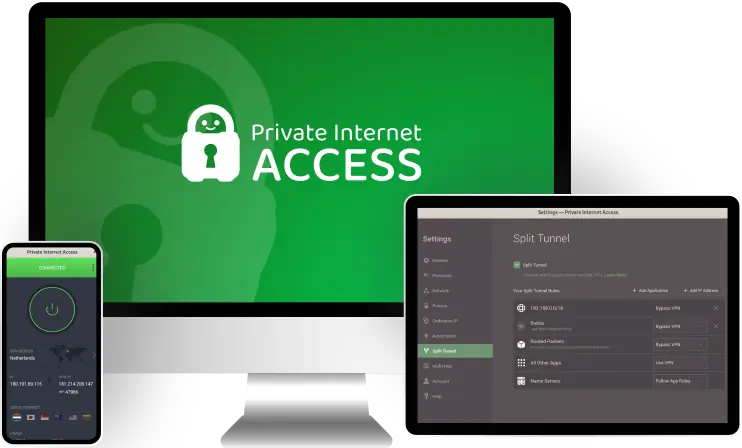
I think Private Internet Access (PIA) is a good pick for TikTok users whose main goal is to protect their privacy. I mainly think that due to how the provider’s no-logs policy has been proven true. It has passed an independent security audit (like most top VPNs), but it has also been proven true in court documents on several occasions. I also like how all of the provider’s apps are open-source, meaning anyone can inspect the security code to make sure they’re safe to use.
And I think the provider’s mobile VPN apps are extremely intuitive. It’s very simple to navigate the interface and find the server you want to connect to, or the settings you want to change. Plus, it’s great that all settings come with helpful explanations. And PIA also allows unlimited simultaneous connections, making it a good pick if you have a large family.
Other than that, PIA also has very good speeds — which isn’t surprising considering it has servers in 90+ countries, and it also uses WireGuard, which is very fast. I tested the VPN for this article by surfing TikTok while connected to it for a few hours, and I never experienced long video load times or random buffering.
And it’s also great that PIA comes with split-tunneling. On Android, it lets you split-tunnel app traffic. But, on desktop, it lets you split-tunnel websites too — this could be helpful if you like using a VPN to access TikTok via a desktop browser. Since it’s much more convenient to split-tunnel a specific website than the entire browser.
Finally, the provider is very affordable, with prices beginning as low as $2.19/month. Also, its longest plan often includes extra months of service for free, and there’s also a 30-day money-back guarantee for all of the provider’s plans.
Highly recommended

Bottom Line: Private Internet Access provides very strong privacy for browsing TikTok. It has an audited no-logs policy that has also been proven true in court, and it also has open-source VPN apps. Plus, the VPN is very simple to use on mobile, it allows unlimited simultaneous connections, and it maintains very fast TikTok speeds. Also, it has a risk-free 30-day refund policy.
Read my full Private Internet Access review
🥉 3. CyberGhost VPN — Has a Huge Server Network & Great Automation on Desktop CyberGhost VPN

CyberGhost VPN has one of the largest server networks on the market, having server locations in 95+ countries. This makes it very simple to connect to a nearby server to get fast speeds — and I can confirm the VPN is really fast, as all TikTok videos load fast whenever I use the app while connected to CyberGhost VPN. Plus, the provider uses WireGuard, which is really fast.
And I think this VPN is a good pick if you want to use it to access TikTok on desktop. That’s because its desktop apps come with Smart Rules, which is a feature that lets you automate VPN connections. For example, you can configure the VPN app to automatically connect to the fastest server and launch the browser you use to access TikTok when you open it.
And if you use the VPN on mobile, its apps are really user-friendly. Both the iOS and Android app comes with a quick-connect feature, and they make it very simple to understand what all settings and features do. And, on Android, you also get access to split-tunneling.
Also, the provider is very secure. It has Content Blocker, which is good at protecting you from malicious sites. And it also has Identity Guard — it alerts you if your email addresses are compromised, so you can keep tabs on the email you use for TikTok.
CyberGhost VPN is affordable, with prices starting at $2.19/month. It also backs all long-term plans with a generous 45-day money-back guarantee. Its shortest plan comes with a 14-day money-back guarantee.
Highly recommended

Bottom Line: CyberGhost VPN comes with a really large server network, consisting of locations in 95+ countries. On desktop, it also provides great automation features. Also, it has fast speeds, good mobile apps, and strong security tools. And it backs all long-term plans with a 45-day refund policy.
Read my full CyberGhost VPN review
4. Surfshark — Great TikTok VPN for Beginners Surfshark


I personally consider Surfshark to be a good VPN for people who are new to VPNs. Its mobile apps are extremely user-friendly, and it shouldn’t take you more than a few seconds to connect to a server or find and change certain settings. Plus, all features have helpful explanations, so you never feel lost while using the VPN app. And if you like using TikTok on desktop, the provider’s desktop apps are just as easy to use as its mobile apps.
Plus, Surfshark also allows unlimited simultaneous connections (just like Private Internet Access). So it’s also a good pick for TikTok users who have a large family, or just own many web-connected devices that they access TikTok on.
Other than that, this VPN is also very fast. It uses WireGuard, and it has 3,200+ servers in 95+ countries to ensure you get fast speeds. For this article, I tested Surfshark with TikTok by using it to watch videos for 2 hours straight, and all videos always loaded instantly (plus, they never buffered at all).
And the provider’s IP Rotator feature is good for protecting your privacy on TikTok. The feature regularly changes your VPN IP address at specific time intervals, which makes it harder for TikTok to track your VPN location. And I like how Surfshark changes your VPN IP without dropping your VPN connection.
Surfshark is super affordable, as its prices start as low as $2.19/month. What’s more, I like how it has a no-questions-asked 30-day money-back guarantee, so you don’t need to meet any requirements to get your money back.
Bottom Line: Surfshark is among the best VPNs for TikTok if you’re new to VPNs. This VPN provider has very intuitive apps for both mobile and desktop devices. What’s more, it maintains fast speeds for TikTok, and it’s also really good for security and privacy. And it backs its (very affordable) plans with a risk-free 30-day money-back guarantee.
5. NordVPN — Great VPN for Securing Your TikTok Account & Traffic NordVPN

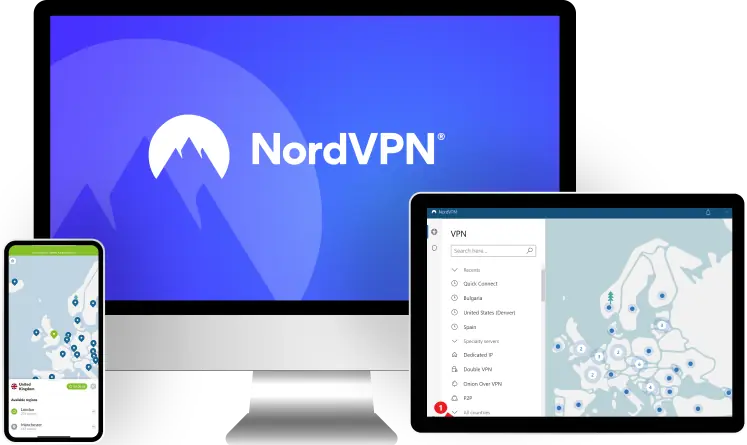
All the VPNs mentioned so far are secure, but NordVPN has some really useful extras. I really like its Threat Protection Lite feature on mobile. This tool stops ad trackers from monitoring your web preferences (including those related to TikTok), and it also protects you from malicious sites. And, on desktop, the vendor has Threat Protection, which does everything mentioned above, and also protects you from malware-infected downloads — this comes in handy on desktop if you want to use third-party apps for TikTok, like video downloaders.
What’s more, NordVPN has a dark web monitoring tool, which sends you alerts if it detects that your NordVPN login credentials have been compromised. If you use the same login details for TikTok, you can use NordVPN’s feature to keep tabs on it.
And the provider’s mobile apps are also really simple to use. Each app has a quick-connect feature, and if you want to manually find and connect to a VPN server, it shouldn’t take you more than 7–8 seconds to do it.
Also, the VPN provider is really fast too. That’s because it has a huge server network (6,000+ servers in 110+ countries), and it has a proprietary protocol called NordLynx that’s very fast. In my tests, its connection speeds were on par with all the other VPNs on this list.
NordVPN has a few tier-based subscriptions, and its prices begin at $3.99/month. Plus, it also backs all of its plans with a 30-day money-back guarantee.
Bottom Line: NordVPN has really strong security features for TikTok, including a tool that stops ad trackers from spying on your TikTok preferences, and a feature that secures your TikTok login. Plus, the VPN also comes with really user-friendly mobile apps and fast speeds. And it backs all purchases with a 30-day refund.
Bonus. Proton VPN — Best Free VPN Plan for TikTok Proton VPN


Proton VPN is the best free VPN service for TikTok. Its free version allows unlimited bandwidth, meaning you can use the VPN with TikTok as long as you want (most free VPNs limit how much data you can use, usually to around 2–10 GB).
The free version includes access to user-friendly mobile apps too. It’s very easy to navigate them, and there are helpful explanations for all settings and features. And the apps automatically connect you to the nearest server to provide the fastest speeds — though, free users can’t manually choose which server locations to use, which can be a bit inconvenient.
And Proton VPN’s free plan is very fast too, mostly because it uses WireGuard. I tested the free version with TikTok, and I generally had really good video load times — plus, the videos I watched never froze either.
And the free plan also provides excellent privacy on TikTok. That’s because the VPN has an audited no-logs policy. In addition, all of its apps are open-source — and they have also all been independently audited and proven to be safe to use.
But it’s ultimately best to get the premium VPN version. It provides access to 6000+ servers in 110+ countries, and lets you connect to whichever location you want. Also, it includes additional features, like a good malicious site blocker and a speed-boosting feature. Proton VPN’s prices begin at $3.59/month, and all purchases come with a prorated 30-day refund.
Bottom Line: Proton VPN is the best free VPN for TikTok. Its free version allows unlimited data, and also provides access to intuitive apps, fast speeds, and very strong privacy features. And upgrading to the paid version adds access to a large server network and useful extra features. Also, all plans are backed by a prorated 30-day refund.
Read my full Proton VPN review
Quick Comparison of My Top Picks
| Starting Price | Mobile Apps | Number of Countries | Number of Devices | Free Plan | Money-Back Guarantee | |
|---|---|---|---|---|---|---|
| 🥇 1. ExpressVPN | $5.49/month | iOS  Android | 100+ | 8 |  | 30 days |
| 🥈 2. Private Internet Access | $2.19/month | iOS Android | 90+ | Unlimited | | 30 days |
| 🥉 3. CyberGhost VPN | $2.19/month | iOS Android | 95+ | 7 | | 45 days (long-term plans) 14 days (shortest plan) |
| 4. Surfshark | $2.19/month | iOS Android | 95+ | Unlimited | | 30 days |
| 5. NordVPN | $3.99/month | iOS Android | 110+ | 10 | | 30 days |
| Bonus. Proton VPN | $3.59/month | iOS Android | 110+ | 10 | | 30 days (prorated) |
How I Chose the VPNs on This List
- I only picked VPNs that have good mobile apps. Most people use TikTok on mobile, so I only included VPNs that have really intuitive mobile apps, which make it simple to connect to different servers and change settings. I also realize that some people might prefer to use TikTok on desktop, so I also made sure the provider’s desktop apps are user-friendly.
- I prioritized VPNs with fast speeds. Speeds matter a lot when watching TikTok videos. Unfortunately, using a VPN will always slow down your original web speeds — which is why I only added top VPNs to the list that only cause minimal slowdowns that are barely noticeable. I personally consider ExpressVPN to be the fastest VPN for TikTok (and on the market).
- I made sure to only include VPNs with large server networks. The more server locations you have access to, the easier it’ll be for you to get fast TikTok speeds by connecting to nearby servers. So I only added VPNs with servers in at least 80+ countries to this list.
- I only added secure VPN service to the list. Security might not be the main concern for people who use VPNs with TikTok, but it’s still important. That’s why I only included VPns with industry-standard security features, like DNS leak protection, military-grade encryption, a no-logs policy, and a kill switch to prevent traffic leaks while watching TikTok videos. In addition, all of the VPNs on my list have advanced security features, like RAM-only servers, perfect forward secrecy, full-disk encryption, or full leak protection.
- I made sure all VPN services provide good value. I also checked what kind of perks the VPNs offer, in case you might want to use the VPN for other online activities, other than TikTok. So I only added VPNs that work with popular streaming platforms, allow torrenting, and are good for gaming. Also, all the VPNs I recommend are affordable and have generous refund policies.
Why Should You Use a VPN With TikTok?
The main reason I recommend using a VPN for TikTok is to secure your traffic. VPNs encrypt all of your internet data, which basically means they make it 100% unreadable. That prevents third parties (like your internet service provider or government) from monitoring your TikTok traffic.
In addition, VPNs also protect your privacy on TikTok. It stops the app from seeing your real IP address, which reveals your approximate real-time location. This might also prevent TikTok from sharing your IP address with advertisers.
Also, if you use a VPN for TikTok, you prevent bandwidth throttling. This is when your ISP intentionally slows down your speeds when you use too much data. TikTok doesn’t consume a ton of data, but it could still use around 800 MB per hour — and if you use the app a few hours a day throughout the week, that adds up. But since a VPN makes all your data (including your TikTok traffic) unreadable, your ISP won’t be able to selectively slow down your TikTok speeds.
Will Using a TikTok VPN Let Me See Content from Other Countries?
Maybe, but I can’t actually guarantee this. In theory, this should work since a VPN changes your IP address, so it lets you browse the web via a different geo-location. And since TikTok uses your device’s IP to display content, it should show you content that matches the location of the VPN server you’re connected to. That said, TikTok also relies on other data to display content, like your device’s GPS data and Wi-Fi network details, and a VPN doesn’t usually hide that information.
I actually tried this out for this article, and the results weren’t great. I first connected to a VPN server in a different country, and I opened TikTok afterwards — I watched videos on TikTok for three hours, but the algorithm didn’t change too much. I still continued to see videos from my location.
You might see results if you wait a long time, like a week or more. Whenever I travel to different countries, it usually takes at least a week for TikTok to start displaying videos from that country.
Is It Against TikTok’s Terms of Service to Use a VPN?
Not as far as I can tell. I read the entire terms of service, especially what you’re not allowed to do, and it doesn’t say it’s against the rules to use a VPN for TikTok. It also doesn’t say that it’s against the terms of service to try and change your location while using TikTok.
That said, I have seen users on Reddit and Quora say that TikTok will shadowban VPN users. But this mostly applies to content creators, not average users who just use the VPN to watch videos on the platform — basically, if you try to use a VPN to post videos on TikTok, the platform might shadowban your account, meaning nobody would see your videos.
Can I Use a VPN to Promote My Videos to Other Audiences?
You can try, but I don’t really recommend it. I haven’t personally tried this, but I have read multiple posts from users on Reddit on Quora saying that they have had mixed results using a VPN to post videos. Most of them said they managed to reach an audience from a different country (so not their home country), but the success didn’t last since TikTok eventually shadowbanned their accounts.
Can You Use a VPN to Bypass a TikTok Ban?
If you’re dealing with network restrictions, yes. A VPN would allow you to access TikTok on networks that might use firewalls to block the app, like at school for example. The VPN allows you to communicate with the web through a new IP address, one that doesn't have any firewall restrictions linked to it — this, in turn, lets you access TikTok freely.
A VPN could also bypass a TikTok ban in a restrictive country. If you’re in this situation, I recommend using ExpressVPN, as it’s a reliable VPN service that works in restrictive regions without any issues (most other top VPNs can’t get around restrictive VPN blocks).
And if you’re in the US, you don’t need to worry about using a VPN yet. It might take a year or even several years until the proposed TikTok ban would go into effect. And if it eventually does, any of the VPNs on my list should allow you to still access it.
VPNs That I Don’t Recommend Using With TikTok
- Astrill VPN — The VPN works very well in restrictive countries that ban TikTok, and it has decent mobile apps, but they’re not as user-friendly as the mobile apps from the other VPNs on my list. Also, Astrill VPN is very expensive.
- ioloVPN — The provider has a user-friendly Android app, but it doesn’t come with an iOS app. On top of that, its server network is also really small, which contributes to the slow speeds it has.
- AirVPN — This VPN doesn’t have an iOS app, and its Android app is pretty difficult to use. In addition, the provider’s prices are too expensive, and its speeds on distant servers are very slow.
Frequently Asked Questions
Best VPNs for TikTok in 2026 — Final Thoughts: Final Thoughts


About The Author
Hi! I’m Trevor James, a Canadian YouTuber who travels the world full-time. I make videos about food, travel, and cybersecurity. I have been traveling the world and making videos for over 10 years. You can read more about me here.
Table of Contents
