

Table of Contents

In a hurry? Here’s the best cheap VPN service in 2026:
- 🥇 Private Internet Access (83% in October 2026): Has prices that begin as low as $2.19/month, provides extra months of free service via the longest plan, and has a 30-day money-back guarantee. Also provides excellent P2P and streaming support, has servers in 90+ countries, is very secure, is easy to use and allows unlimited simultaneous connections, and has really fast speeds.

Private Internet Access

Private Internet Access
Contrary to popular belief, most VPNs are actually pretty cheap. You just need to stop looking at a provider’s monthly plan, as that’s usually going to be the most expensive one. If you get the longest plan, you’ll generally get very good discounts (plus additional perks, like extra months of service for free).
And just because you get a cheap VPN doesn’t mean you have to settle for less. Most top VPNs that have cheap long-term plans are very secure, provide really good speeds, are simple to use, and also have excellent streaming and torrenting support.
I personally ranked Private Internet Access as the most affordable VPN. In addition to having plans that start at only $2.19/month, it also provides excellent value — it has servers in 90+ countries, it allows torrenting on all servers, it’s great for streaming, it’s very fast, it allows unlimited simultaneous connections, and it provides high-end security and privacy features.
Quick Look at the Best Cheap VPNs 2026:
- 🥇 1. Private Internet Access ($2.19/month) — Best cheap VPN in 2026 (excellent P2P support + very fast speeds + strong privacy).
- 🥈 2. Surfshark ($2.19/month) — Great cheap VPN for streaming (works with 100+ streaming sites + has a smart DNS).
- 🥉 3. CyberGhost VPN ($2.19/month) — Affordable VPN for gaming (has dedicated gaming servers + great automation tools).
- 4. Proton VPN ($3.59/month) — Best free service on the market (paid version also offers excellent value).
- 5. PrivateVPN ($2.00/month) — Super-cheap VPN with good P2P support (also works in restrictive countries).
- VPNs #6 to #10.
🥇1. Private Internet Access — Best Cheap VPN in 2026 Private Internet Access (Starts at $2.19/month)

 Key Features
 Apps
Apps


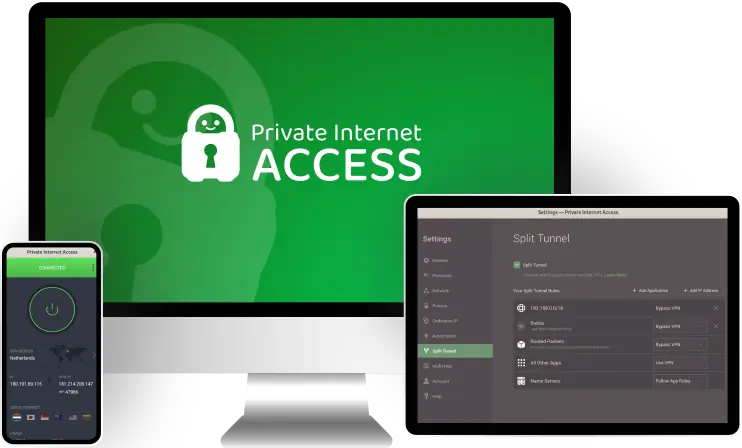
Private Internet Access (PIA) is the best cheap VPN in my opinion. Its prices begin as low as $2.19/month — and its longest plan also often includes additional months of service for free, so you get an excellent deal. Plus, the VPN service also backs all purchases with a 30-day money-back guarantee, so you can try it out risk-free.
In addition to being a very affordable VPN, it also provides excellent P2P support. PIA allows torrenting across all of its VPN servers, which are located in 90+ countries. Also, it has built-in support for port forwarding, which boosts your P2P speeds by letting you connect to more peers. And you get SOCKS5 proxy support too — this hides user IP addresses while torrenting, but doesn’t provide encryption (so you get much faster speeds than you do with a VPN connection).

Plus, PIA is one of the best cheap VPNs for beginners. Its apps are extremely simple to install and use, and I especially like how there are helpful explanations for all VPN settings and features (so, you never feel lost while using the apps). And PIA also allows unlimited simultaneous connections, meaning you can install and use the VPN on as many devices as you want — I think this is a great deal for large families.
And you get excellent streaming support too. PIA has dedicated streaming servers that can access 20+ streaming services, including popular ones like Netfllix, BBC iPlayer, Disney+, and Amazon Prime Video. Its streaming servers are optimized to refresh their IPs very often, which makes it hard for streaming services to block them. Plus, PIA also has a smart DNS, which lets you watch streaming content on devices that don’t support VPN apps (like gaming consoles, for example).
And despite being a super-affordable VPN, PIA also provides strong online security. For one, it protects your online data with MACE, which is an excellent ad blocker — it stops ad trackers from spying on your online preferences, it gets rid of potentially malicious ads, and it protects you from shady websites. There’s also Identity Guard, which sends you alerts if your email address is compromised in a data breach.

What’s more, PIA shines when it comes to online privacy. It has a strict no-logs policy that has been independently audited, and has also been proven true in court documents. On top of that, all of its apps are open-source — this means everyone is free to check the code to make sure there are no security or privacy issues.
Finally, PIA is among the fastest VPN services on the market. Whenever I use it at home and while traveling, I always get very fast download speeds, and I don’t have to wait more than 2–3 seconds for all sites and videos to load (plus, videos never buffer when I skip through them). The VPN service is so fast mostly because it has a huge server network, and also because it uses the WireGuard VPN protocol, which is extremely lightweight.
Highly recommended

Bottom Line: Private Internet Access is the best cheap VPN, with plans starting at $2.19/month. Plus, its longest VPN subscription often includes extra months of service for free, and there’s a 30-day refund policy too. The VPN service also has excellent torrenting support, it’s very easy to use, it allows unlimited simultaneous connections, it’s great for streaming, it provides strong online security and privacy, and it’s very fast.
Read my full Private Internet Access review
🥈 2. Surfshark — Great Cheap VPN for Streaming (Starts at $2.19/month) Surfshark

Surfshark is a very affordable VPN that’s excellent for streaming. Its prices begin at only $2.19/month, and its longest VPN subscription also comes with additional months of service for free. Plus, the VPN provider backs all purchases with a risk-free 30-day money-back guarantee.
The VPN service is compatible with 100+ streaming sites, so you get excellent variety. Surfshark works with top platforms, such as Netflix, BBC iPlayer, Max, and Disney+. It’s also an excellent Netflix VPN since it works with 15+ Netflix libraries. And I also like how it comes with a smart DNS tool.
Plus, Surfshark can hide your GPS data on Android. This is pretty unique, as very few VPNs can actually do this. Hiding your GPS data just means you’ll make it match the location of your VPN IP address — this will make it much harder for mobile streaming apps to detect and block your VPN connection.

And the VPN service also has IP Rotator — this is a feature that provides great online privacy by regularly changing your VPN IP address without disconnecting you from the VPN server. But that also benefits your streaming experience, as it makes it harder for streaming services to detect and block your VPN IP address.
What’s more, Surfshark has high-end security features. It has CleanWeb, which is a very good ad blocker. Also, it has Dynamic Multihop — this security tool sends your data through two VPN servers instead of just one, protecting your data with an extra layer of security. And I really like how the provider’s double VPN feature is very customizable, as it lets you pick whatever entry and exit servers you want.
And Surfshark is extremely user-friendly too. Its apps are very easy to download and install, and it shouldn’t take you more than 10 seconds to find and connect to your desired server locations. Plus, the VPN provider also supports unlimited simultaneous connections.
To finish up, I’d like to quickly mention what other perks this VPN provider offers — it has a huge server network (3,200+ VPN servers in 95+ countries), it allows torrenting on all server locations, and it provides very fast speeds for browsing, streaming, gaming, and sharing files.
Highly recommended

Bottom Line: Surfshark’s plans begin at only $2.19/month, and the VPN is excellent for streaming. It works with 100+ streaming platforms, it has a smart DNS, it has a GPS-spoofing tool on Android, and it also regularly changes your VPN IP to make it harder for streaming sites to block your connection. And the provider has a 30-day refund, strong privacy and security features, easy-to-use apps, support for unlimited simultaneous connections, and fast speeds.
🥉 3. CyberGhost VPN — Good Affordable VPN for Gaming (Starts at $2.19/month) CyberGhost VPN

CyberGhost VPN is one of the best cheap VPNs for gaming (it’s also one of the best gaming VPNs overall). The provider’s cheapest VPN subscription starts at $2.19/month, and the longest plan also comes with extra months of service for free. Plus, CyberGhost VPN backs all long-term plans with a generous 45-day money-back guarantee. It also has a 14-day refund for its shortest VPN subscription.
I think it’s very good for playing online games due to its dedicated servers for gaming. Basically, it has 100+ gaming servers in 4 countries: the US, the UK, Germany, and France. These servers are optimized to provide smooth speeds, ensuring you get lag-free gaming sessions and stable ping.

I also like how you can automate VPN connections via the Smart Rules feature. For example, you can use the feature to configure the CyberGhost VPN client to automatically connect you to your desired gaming server when you launch a gaming app. Or, you could set up the VPN app so that it automatically connects to a gaming server and launches a specific gaming app when you open it.
And CyberGhost VPN is also one of the best cheap VPN providers for streaming. It provides access to dedicated streaming servers that are compatible with 50+ popular streaming platforms, including Netflix, Amazon Prime Video, BBC iPlayer, and Max. The provider’s servers also work with 15+ Netflix libraries, 5+ Amazon Prime Video libraries, and 5+ Max libraries. Plus, you also get access to a smart DNS.
The VPN provider also has very good security features. It has Content Blocker, which is really good at protecting you from malicious sites. Also, its Identity Guard feature alerts you if your email has been compromised in a data breach (and it lets you generate strong passwords). And it also has NoSpy servers, which provide better privacy since they’re housed at the provider’s headquarters (so, only its staff has access to them).
And CyberGhost VPN comes with tons of other perks too — it has servers in 95+ countries, it maintains blazing-fast speeds for all online activities, it’s very simple to use, and it allows torrenting on servers in 80+ countries.
Highly recommended

Bottom Line: CyberGhost VPN has prices that start at $2.19/month, and it’s great for gaming. That’s because it maintains fast gaming speeds via dedicated servers. Also, it backs all long-term plans with a 45-day money-back guarantee, it lets you automate VPN connections, it provides very good streaming support, it’s really secure and easy to use, and it has very fast speeds.
Read my full CyberGhost VPN review
4. Proton VPN — Best Free VPN (Paid Plans Start at $3.59/month) Proton VPN


Proton VPN has the best free plan on the market. Its paid version starts at $3.59/month, and it’s backed by a prorated 30-day money-back guarantee. Proton VPN isn’t as cheap as Private Internet Access, Surfshark, or CyberGhost VPN, but I still wanted to rank this provider high in case some of you were interested in using a free VPN.
The main thing I like about the free version is that it allows unlimited data. This means you can use the free plan to browse the web, watch videos, and share files as much as you want. Plus, most free VPNs limit you to anywhere between 2 GB and 10 GB per month.
And the free version also provides strong privacy (which is not something you generally see with free VPNs). It protects your data with a strict no-logs policy that has also been independently audited. What’s more, all of Proton VPN’s apps are open-source, and they have also passed security audits as well.

The free version does have some limitations, though. It doesn’t have streaming and torrenting support, it only lets you install the VPN on one device, it limits you to servers in 5 countries, and you also can’t pick which server you connect to (it automatically connects you to the fastest server for your location).
Getting the paid version is definitely worth it, plus it’s still an affordable VPN subscription since it’s under $4 per month if you get the longest plan. The paid plans add compatibility with 40+ streaming sites, 6000+ servers in 110+ countries, P2P servers in 90+ countries, high-end security features (NetShield and Secure Core servers), support for 10 simultaneous connections, and more.
Bottom Line: Proton VPN is the best free service out there, and its paid version starts at $3.59/month. The free version offers unlimited data and strong privacy and security. And the paid version is backed by a prorated 30-day money-back guarantee, and adds access to a huge server network, very good streaming and P2P support, strong security features, and more.
Read my full Proton VPN review
5. PrivateVPN — Great Cheap VPN for Torrenting and Restrictive Countries (Starts at $2.00/month) PrivateVPN


PrivateVPN is basically the cheapest VPN on the market right now, as its longest plan starts at $2.00/month What’s more, its longest subscription provides amazing savings since it includes 24 free months of service at the moment! And all purchases are also backed by a 30-day money-back guarantee.
It’s also a very good cheap VPN for torrenting. Like Private Internet Access, it allows P2P traffic on all servers, comes with port forwarding support, and also allows SOCKS5 proxy connections. The only notable difference is that PrivateVPN supports torrenting on servers in 60+ countries, whereas PIA allows torrenting on servers in 90+ countries.
And this is one of the best cheap VPNs for restrictive countries. It refreshes its IPs very often, and it also provides obfuscation (hides VPN usage) via Stealth VPN — this allows the VPN to get around VPN blocks in places like China, Iran, and Russia. I can personally confirm that I was always able to use it without issues while traveling through China.

This is also a great cheap VPN service for people who are new to VPNs. Its apps have a very minimalist design, so they’re simple to navigate and don’t feel overwhelming. Plus, it’s great how there are quick explanations for all settings and features.
Other than that, you also get other great perks with PrivateVPN. It works with all major streaming sites (like Netflix, BBC iPlayer, Amazon Prime Video, and Max), it provides very good speeds on both nearby and distant servers, and it also provides strong security features.
Bottom Line: PrivateVPN is the cheapest VPN out there, with plans starting at only $2.00/month. It also has a 30-day money-back guarantee, and it provides excellent P2P support. Plus, it works without issues in restrictive countries, it’s very easy to use, it has fast speeds, it’s good for streaming, and it’s very secure.
Read my full PrivateVPN review
6. PureVPN — Good Low-Cost VPN for Bypassing Internet Censorship (Starts at $2.14/month) PureVPN

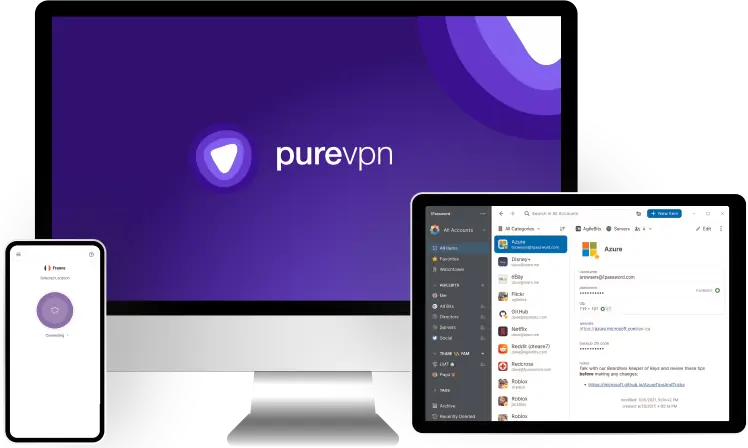
PureVPN is a reliable VPN for getting around VPN blocks, and it’s really affordable too — its prices begin at just $2.14/month. And I also like how all of its plans are backed by a 31-day money-back guarantee.
The provider works so well in restrictive regions because it has obfuscation — this security feature is available via the OpenVPN protocol, and it’s also supported on all of PureVPN’s servers (which are located in 65+ countries). On top of obfuscation, this budget VPN also bypasses VPN blocks so well because it has a really fast server IP refresh rate. I personally tested PureVPN several times while traveling through China, and it always worked without issues.

Plus, this is also a pretty good low-cost VPN for streaming. It can access geo-restricted content on 10+ popular streaming platforms, including Netflix, Amazon Prime Video, and Disney+. It doesn’t have a smart DNS like Private Internet Access or Surfshark, but it does have Shortcuts — this feature lets you set up customized VPN connections to streaming platforms.
And PureVPN provides other benefits too — it has very strong privacy and security features, it maintains great speeds for all online activities, it has P2P servers in 30+ countries, and it provides access to really intuitive VPN apps.
Bottom Line: PureVPN is one of the best cheap VPN services for restrictive countries, with prices starting at $2.14/month. It backs all purchases with a 31-day money-back guarantee, and it bypasses all types of VPN blocks via obfuscation and a great server IP refresh rate. Plus, it provides great streaming support, and is also secure, fast, and easy to use.
7. IPVanish — Great Budget VPN for Torrenting (Starts at $2.19/month) IPVanish


IPVanish is an affordable P2P-friendly premium VPN, with prices beginning at just $2.19/month. Its longest plan offers a very generous 83% discount, and all of its long-term plans also come with a 30-day money-back guarantee.
And the provider’s torrenting support is really good — it supports P2P traffic on all of its servers (located in 50+ countries), and it also provides access to 10+ SOCKS5 proxy server locations. Really, the only minor complaint I have is that the VPN lacks port forwarding support (Private Internet Access has this in addition to SOCKS5 servers).

And IPVanish is also pretty feature-rich. Its apps provide access to useful additional features, including split-tunneling, which lets you split-tunnel both apps and websites. And you also get access to Threat Protection, which is a great ad blocker.
Also, the provider has other great perks too — it has beginner-friendly apps for all major devices, it allows unlimited simultaneous connections, it’s pretty fast, and it’s compatible with some popular streaming sites (like Netflix, Disney+, and Max).
Bottom Line: IPVanish is one of the best cheapest VPNs for torrenting, as its prices start at $2.19/month. It backs all long-term plans with a 30-day money-back guarantee, it allows P2P traffic on all servers, and it also has SOCKS5 proxy support. Plus, it’s easy to use, it allows unlimited simultaneous connections, it supports split-tunneling and ad-blocking, and it’s fast.
8. hide.me — Good Free Version With Fast Speeds (Paid Plans Start at $2.59/month) hide.me


hide.me provides access to a really good free version. Like Proton VPN, it allows unlimited bandwidth. Also, it provides access to free servers in 5+ countries, and it also maintains very fast speeds because it lets you use the SoftEther protocol — this is a super-fast protocol that very few VPNs support.

Also, hide.me is one of the most affordable VPN providers out there. So, getting the paid version is a no-brainer. Its plans being as low as $2.59/month, and the provider also backs all purchases with a 30-day money-back guarantee.
Plus, the paid version provides great value. It especially lets you optimize your VPN speeds, as it adds access to split-tunneling, the WireGuard protocol, and servers in 50+ countries. And it also adds good streaming and P2P support, as well as access to user-friendly apps.
Bottom Line: hide.me has a free version with unlimited data and fast speeds. Its paid plans start at $2.59/month, and all are backed by a 30-day money-back guarantee. Also, the paid version helps you get even faster VPN speeds by adding access to split-tunneling, WireGuard, and more.
9. NordVPN — Affordable & Reliable VPN With Feature-Rich Apps (Starts at $3.99/month) NordVPN

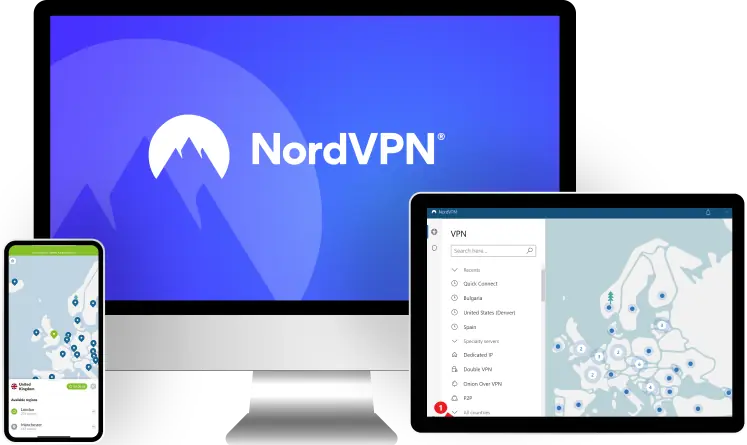
NordVPN has tier-based subscriptions, and the cheapest one starts at $3.99/month. Plus, the subscription’s longest plan often includes extra months of service for free. And NordVPN also backs all of its plans with a 30-day money-back guarantee.
The cheapest subscription provides access to tons of VPN features. You get access to split-tunneling, obfuscated servers, and double VPN servers. Also, you get Threat Protection, which protects you from phishing and malicious domains, and blocks some ads. And there’s Dark Web Monitor too, which alerts you if your NordVPN login has been compromised.

The provider also has Meshnet, which lets you link up tons of devices via NordVPN connections. This feature is useful for providing security when you want to remotely share files between devices. Best of all, this feature is also 100% free to use.
And if you’re willing to spend a little extra, you could get the Plus subscription. It includes all of the above, and also provides access to Threat Protection Pro — in addition to doing everything Threat Protection does, it also blocks pretty much all ads, provides built-in malware protection against malicious downloads, and alerts you about app vulnerabilities on Windows.
Bottom Line: NordVPN is one of the most feature-rich cheapest VPNs, with prices starting at $3.99/month. Also, all plans are backed by a 30-day money-back guarantee. The provider’s apps come with tons of extras, such as split-tunneling, dedicated IP servers, obfuscated connections, data breach monitoring, remote file sharing, and more.
10. TunnelBear — Good Low-Cost Option for VPN Newbies (Starts at $3.33/month) TunnelBear


TunnelBear is one of the most user-friendly cheapest VPNs out there. Its prices start at $3.33/month, which is pretty affordable. The longest plan includes a nice discount of 67%, though it's a shame it doesn’t add extra months of service for free. Plus, unlike the other providers on my list, TunnelBear lacks a refund policy.
I really like how intuitive the provider’s apps are. They’re easy to install, and you can use a digital map to quickly connect to different servers. Plus, all settings and features have helpful explanations, and the apps are also filled with bear puns (like the kill switch being called VigilantBear). Also, TunnelBear allows unlimited simultaneous connections.

TunnelBear also has a free version, but it limits you to 2 GB per month. I think that’s really restrictive — if you wanted to give a free service a try, go with Proton VPN since its free version allows unlimited data.
Bottom Line: TunnelBear is one of the most intuitive and cheapest VPNs out there, with plans starting at $3.33/month. It provides access to apps that are really easy to navigate and also fun to use. Plus, it also supports unlimited simultaneous connections. It’s just a shame it’s missing a refund policy. It does have a free version, but it has a very restrictive data cap.
Read my full TunnelBear review
Quick Comparison of My Top Picks
| Starting Price | Free Plan | Money-Back Guarantee | Works With Top Streaming Sites | Number of Countries | Simultaneous Connections | |
|---|---|---|---|---|---|---|
| 🥇 1. Private Internet Access | $2.19/month |  | 30 days | Netflix  Disney+ Max Amazon Prime | 90+ | Unlimited |
| 🥈 2. Surfshark | $2.19/month | | 30 days | Netflix Disney+ Max Amazon Prime | 95+ | Unlimited |
| 🥉 3. CyberGhost VPN | $2.19/month | | 45 days (long-term plans) 14 days (shortest plan) | Netflix Disney+ Max Amazon Prime | 95+ | 7 |
| 4. Proton VPN | $3.59/month | | 30 days (prorated) | Netflix Disney+ Max Amazon Prime | 110+ | 10 |
| 5. PrivateVPN | $2.00/month | | 30 days | Netflix Disney+ Max Amazon Prime | 60+ | 10 |
| 6. PureVPN | $2.14/month | | 31 days | Netflix Disney+ Max Amazon Prime | 65+ | 10 |
| 7. IPVanish | $2.19/month | | 30 days (only long-term plans) | Netflix Disney+ Max Amazon Prime | 50+ | Unlimited |
| 8. hide.me | $2.59/month | | 30 days | Netflix Disney+ Max Amazon Prime | 50+ | 10 |
| 9. NordVPN | $3.99/month | | 30 days | Netflix Disney+ Max Amazon Prime | 110+ | 10 |
| 10. TunnelBear | $3.33/month | | | Netflix Disney+ Max Amazon Prime | 45+ | Unlimited |
How I Chose the VPNs on This List
- I only picked VPN services with affordable long-term plans. VPN providers generally offer the best savings via their longest plan. So, I checked out what the starting price is for all top VPN services, and decided to only rank providers whose subscriptions are under $4 per month. Private Internet Access, which I think is the best affordable VPN, has prices that begin as low as $2.19/month.
- I decided to only rank cheap VPNs that provide great deals. In addition to affordable long-term prices, I also looked into what kinds of other deals VPN providers offer. Basically, I decided to only include cheap VPN services that also include extra months of service via their longest plans, have a free version, or come with a generous money-back guarantee.
- I only ranked VPN services that are secure. Getting a cheap VPN doesn’t mean you have to settle for poor security and privacy. All the affordable VPN services I recommend have essential security features, including military-grade encryption, a no-logs policy, a kill switch to prevent traffic leaks if the VPN connection drops, and DNS leak protection.
- I only included VPN providers that have good streaming and P2P support. Just because you opt for a cheap VPN service doesn’t mean you have to compromise on streaming and torrenting. I made sure to only recommend cheap VPNs that work with top streaming sites (like Netflix and Amazon Prime Video), and also allow torrenting on most (if not all) of their servers.
- I made sure to only recommend fast VPN providers. A VPN will always slow down your original internet connection speeds (yes, even a premium VPN service will do this). So, I tested dozens of cheap VPN services, and only ranked the ones that maintained fast browsing, streaming, gaming, and file-sharing speeds on both nearby and distant servers.
- I prioritized cheap VPNs that are easy to use. I only picked cheap VPN providers that have apps for all major desktop and mobile platforms, and also support a decent number of simultaneous connections (anywhere between 5 and 10). And I made sure the apps are simple to install, navigate, and use.
- Finally, I only ranked cheap VPNs that provide great value. When looking at the cheapest VPN services on the market, I prioritized the ones that also provide access to useful additional features, such as split-tunneling, and ad blocker, or a smart DNS.
What’s the Best Way to Save Money When Signing Up for a VPN?
The best way to get huge savings is to get the provider’s longest plan. VPN companies (and most subscription-based businesses, really) want to incentivize people to become long-term subscribers. So, they always provide the best discounts via their longest subscriptions. For example, if you get Private Internet Access’ longest plan, you save 83% compared to if you were to get its shortest plan. Plus, most top VPNs provide extra months of service for free via their longest plans.

You should also keep an eye out for seasonal campaigns. VPNs might run special discounts for various holidays, such as Christmas, Halloween, or Easter. They very likely also offer limited discounts during shopping events, like Black Friday and Cyber Monday.
Finally, you can also save money by using affiliate links on VPN review websites. For example, if you click on the VPN affiliate links on my website, you might sometimes get cheaper prices than if you were to sign up directly through the provider’s site.
Good VPN Services That I Couldn’t Add to This List
- ExpressVPN. The provider’s prices begin at $5.49/month, so there was no way I could add it to my list. That said, I do want to highlight that I think this is the best VPN on the market — it works with 100+ streaming sites, it’s super fast and extremely secure, it’s excellent for torrenting, it’s really easy to use, and it has a risk-free 30-day refund.
- Hotspot Shield. This is a pretty good VPN, but its plans begin at $6.66/month, so it’s too expensive for this article. That said, it does have a free version with unlimited data, and its paid plans come with a 45-day refund — plus, the paid version has great streaming and P2P support, as well as fast speeds.
- Astrill VPN. This is a very good VPN for restrictive countries, as it always works without issues when I use it in China. It’s also very secure, and it has good speeds. But its prices start at $12.50/month, which is very expensive.
Frequently Asked Questions
Best Cheap VPNs in 2026 — Final Thoughts:


About The Author
Hi! I’m Trevor James, a Canadian YouTuber who travels the world full-time. I make videos about food, travel, and cybersecurity. I have been traveling the world and making videos for over 10 years. You can read more about me here.
Table of Contents
